Skip to content
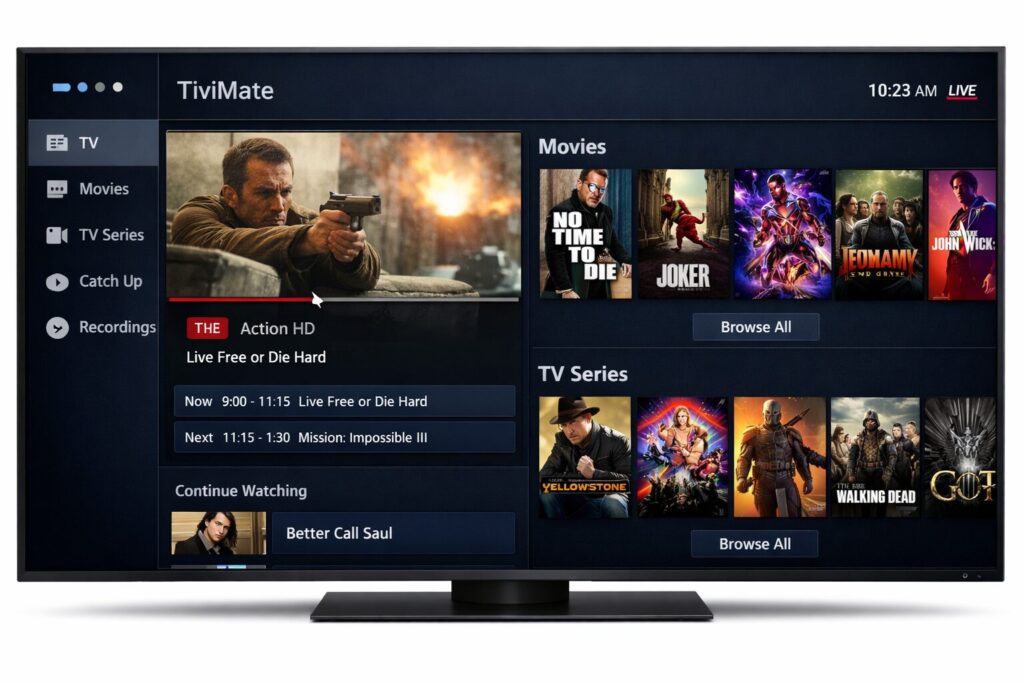
If you use IPTV on Android TV or Firestick, you’ve probably heard about TiviMate. Many people start with the free version and quickly realize the premium version unlocks much better features.
So the question becomes simple: how do I have to buy TiviMate Premium?
The process is actually very straightforward, but there’s one small detail that confuses many beginners. You cannot purchase it directly inside the TV app. Instead, you need a companion app on your phone.
Let’s walk through it in the easiest way possible.
First, Understand What TiviMate Premium Is

Before buying anything, it helps to know what you're getting.
TiviMate Premium unlocks several features that the free version doesn’t offer, such as:
- Multiple playlists
- Recording live TV
- Custom TV guide
- Catch-up support
- Channel grouping
- Backup and restore settings
In simple terms, the free version works fine for basic IPTV viewing. But if you want a smooth, customizable IPTV experience, the premium version is where TiviMate really shines.
What Most People Don’t Realize
Here’s the part that surprises a lot of users.
To buy TiviMate Premium, you must use the TiviMate Companion app on an Android phone or tablet.
Why?
Because the payment is handled through Google Play, and many TV devices (like Firestick) don’t support that purchase directly.
Once you buy it with the Companion app, you simply log into the same account on your TV device.
That’s it.
Step-by-Step: How to Buy TiviMate Premium
Let’s keep it simple.
1. Install the TiviMate Companion App
On your Android phone or tablet:
- Open the Google Play Store
- Search for TiviMate Companion
- Install the app
The companion app is specifically designed to manage subscriptions and device activation.
2. Create a TiviMate Account
When you open the app for the first time:
- Tap Sign Up
- Create an account using an email and password
This account will later be used on your IPTV device.
3. Choose the Premium Plan
Inside the companion app you will see two options:
• Yearly subscription
• Lifetime purchase
Many users choose lifetime because it’s a one-time payment and you never have to renew.
But the yearly plan is cheaper if you just want to test it.
4. Complete the Payment
The payment goes through Google Play billing, so you can pay using:
- Credit card
- Debit card
- Google Play balance
- PayPal (in some countries)
Once the payment is complete, your account will automatically have TiviMate Premium activated.
5. Activate Premium on Your Device
Now go back to your TV device where TiviMate is installed.
- Open the TiviMate app
- Go to Settings
- Select Unlock Premium
- Choose Login
Enter the same email and password you created in the companion app.
Within a few seconds, the premium features will unlock.
How Many Devices Can Use One Premium Account?
This is another common question.
One TiviMate Premium account can activate up to 5 devices.
For example:
- Firestick in the living room
- Android TV in the bedroom
- Another device for family members
You manage all of these devices inside the TiviMate Companion app.
Can You Buy TiviMate Premium on Firestick?

Short answer: not directly.
Firestick doesn’t support the Google Play purchase system needed for the subscription.
So the normal workflow looks like this:
- Buy premium using the Companion app
- Log into TiviMate on your Firestick
- Premium unlocks instantly
Once it's activated, you never need the companion app again unless you want to manage devices.
Is TiviMate Premium a One-Time Payment?
It depends on the plan you choose.
Yearly Plan
You pay once per year.
Lifetime Plan
You pay once and keep it forever.
Most IPTV users prefer the lifetime option, especially if they use IPTV every day.
Is TiviMate Premium Worth Buying?
From real user experience, the answer is usually yes, especially if you watch IPTV regularly.
Here’s why people upgrade:
- The interface becomes much more customizable
- Channel navigation is smoother
- Recording live TV becomes possible
- The TV guide works much better
The truth is, once you try the premium version, going back to the free version feels pretty limited.
Common Problems When Buying TiviMate Premium

Here are a few issues beginners sometimes run into.
No Android Phone
If you only have an iPhone, you’ll need access to any Android device just to make the purchase once.
Wrong Login on TV
Make sure the same email and password from the Companion app are used on the TV.
Too Many Devices Activated
Remember the limit is 5 devices. If you hit that limit, you must remove one inside the companion app.
Final Thoughts
If you were wondering how do I have to buy TiviMate Premium, the process really comes down to three simple steps:
- Install the TiviMate Companion app
- Purchase premium through Google Play
- Log into the account on your TV device
After that, everything unlocks automatically.
And honestly, once you start using the premium features — especially playlist management and recording — it becomes clear why so many IPTV users rely on it every day.